1.4 MB ·
macOS 13 (Ventura) or later · Universal ·
Signed & notarized by Apple
How it works
One window, start to finish.
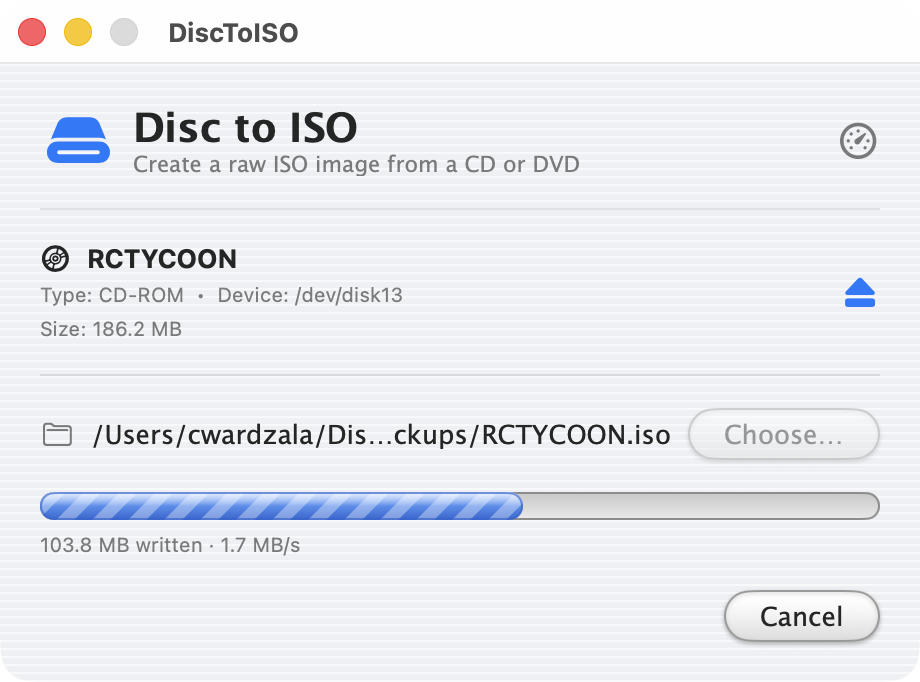
Every shot below is the app copying a real disc.
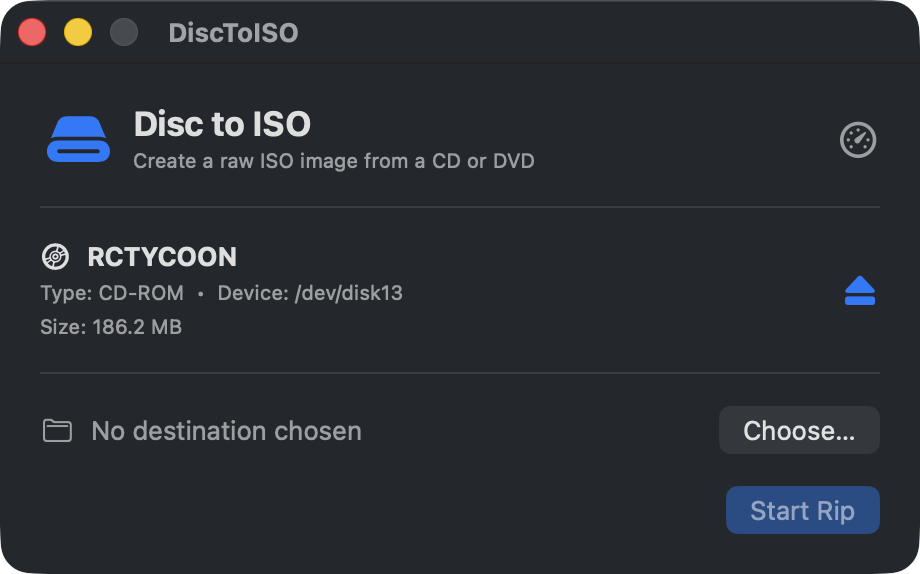
Put in a disc.
The app watches the drive. When a disc turns up, it shows you what
it is and how big it is.
You choose where the file goes. That's the setup.
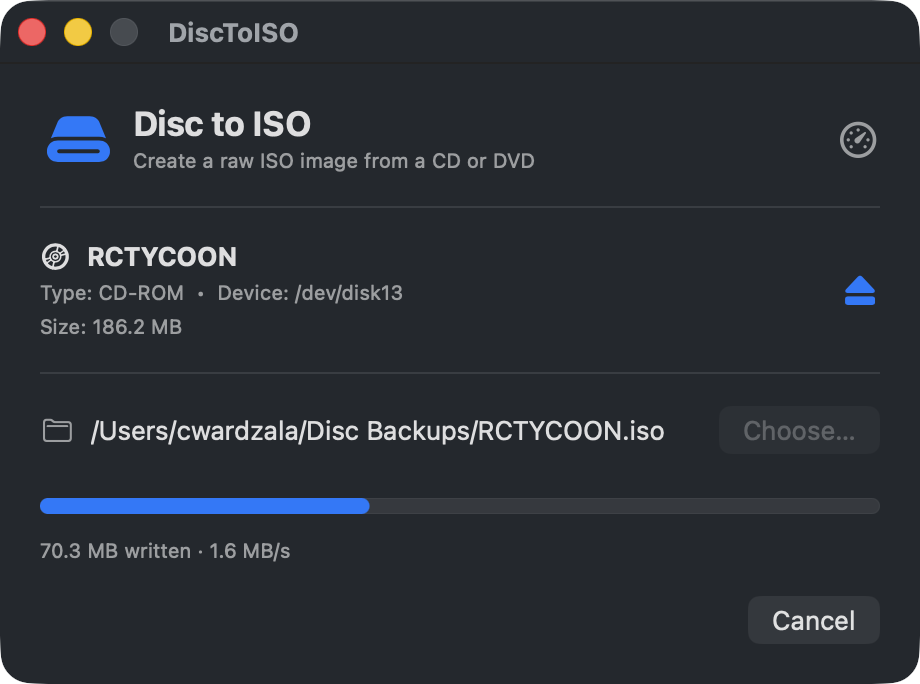
It reads the disc end to end.
You get the progress and the current speed as it goes, so you can
see where it's up to.
Optical drives are slow. A full CD takes a couple of minutes; a DVD
takes considerably longer.
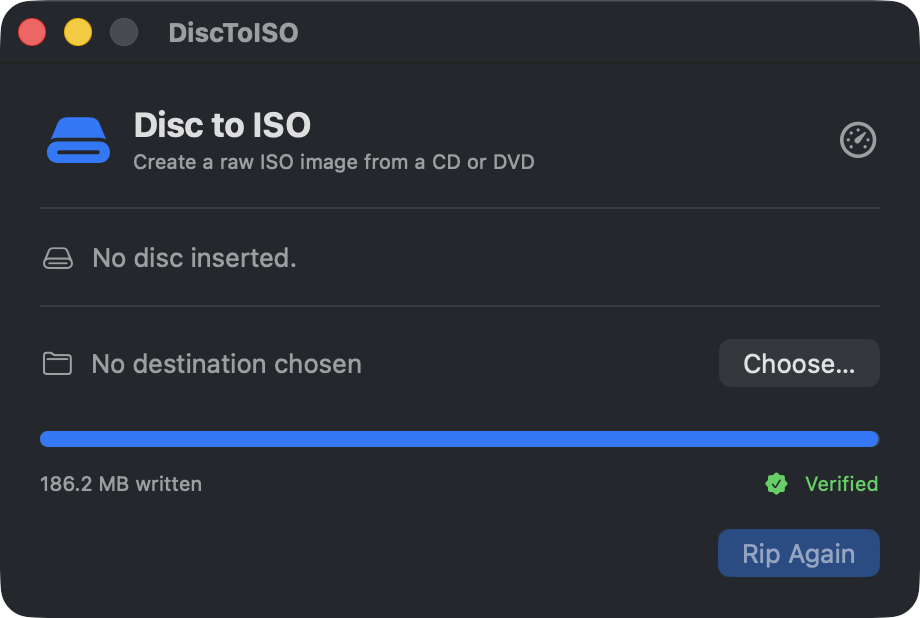
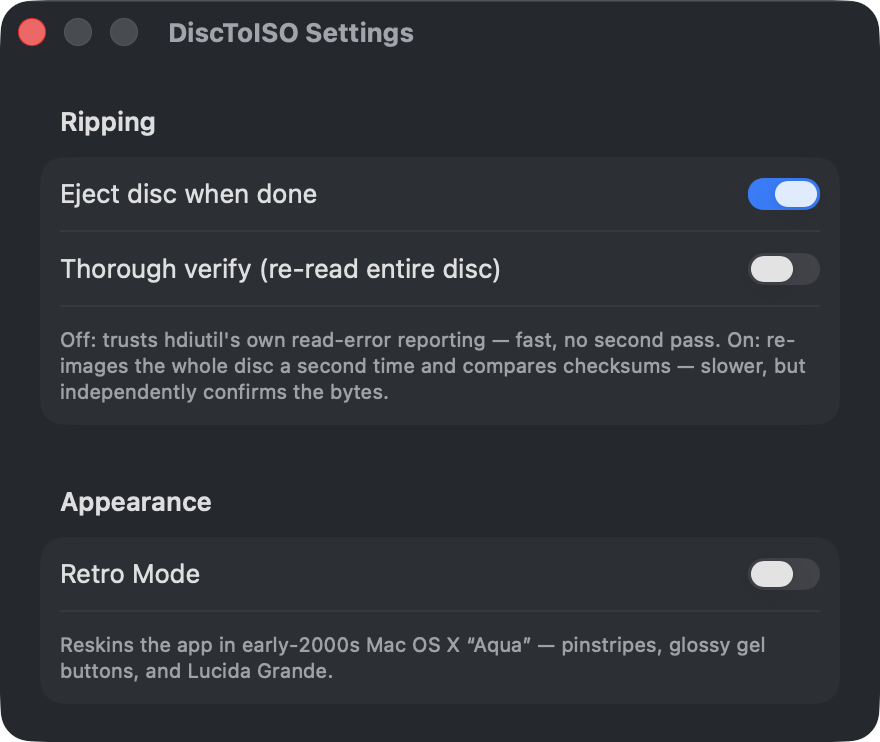
It can check the copy.
By default it trusts the read errors macOS reports, which is usually
enough.
For a disc that matters, turn on Thorough Verify:
it reads the whole disc a second time and compares the two, so you
know the copy is good. It takes twice as long.
186.2 MB written, verified, disc ejected.
There's a Retro Mode.
⌘⇧R reskins the app in early-2000s Mac OS X Aqua:
pinstripes, gel buttons, and a barber-pole progress bar.
It doesn't change anything about the ISO.
The same rip, one keystroke later.
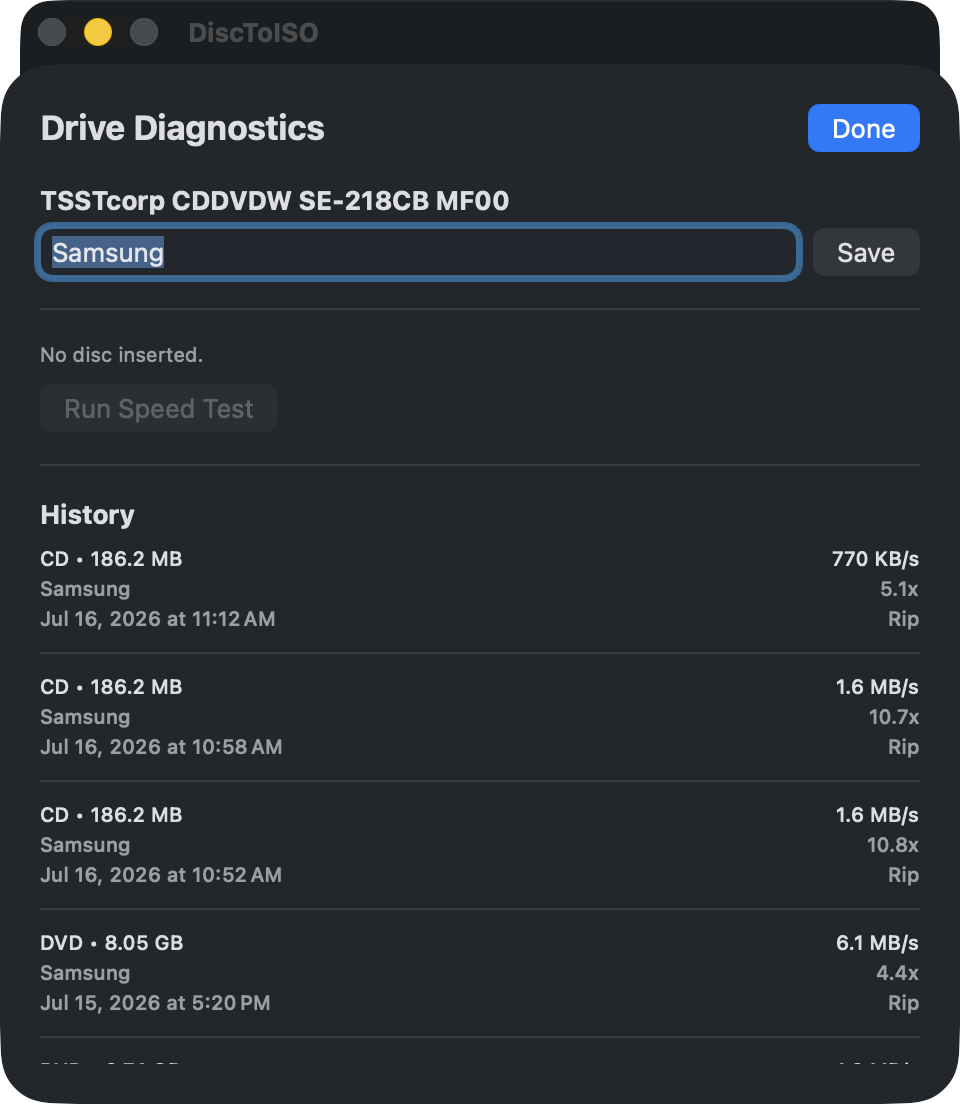
It keeps track of your drives.
Every rip is logged with the speed it managed, so you can see how a
drive is holding up over time.
Give a drive a nickname and you'll recognize it next time.
Details
What you get.
A plain .iso — the same format everything else expects.
Mount it, burn it, or put it on a drive somewhere. Nothing about it
depends on this app still being around.
requires
macOS 13 (Ventura) or later
reads
CD-ROM and DVD data discs
writes
a raw .iso — no proprietary format, no sidecar files
signed
Developer ID, notarized by Apple — no Gatekeeper warning
price
free
A couple of things up front
macOS asks for Full Disk Access the first time
around. Grant it once and the prompts stop — the app explains why on
first launch and takes you to the right settings pane.
The disc ejects when a rip finishes. You can turn that off, or eject
by hand whenever you like.
Audio CDs won't work, and it's better to know now.
They have no filesystem, so a raw image of one isn't a playable ISO.
Use a dedicated audio ripper for those.
Changelog
What's changed.
1.1.1
2026-07-16
Fixed
Byte counts no longer read "Zero KB". ByteCountFormatter spells zero out by default, so the first stretch of a rip — before hdiutil reports its first bytes, which can be half a minute — showed "Zero KB written" as the only text on the row. It now reads Starting… until real bytes arrive, and every byte count in the app formats zero as "0 bytes".
1.1.0
2026-07-15
Added
Full Disk Access onboarding: a first-launch welcome screen that explains why granting Full Disk Access once stops macOS from prompting on every rip, links straight to the correct System Settings pane, and live-updates when access is granted. Reachable anytime via Help ▸ Full Disk Access Setup…, and re-surfaced automatically if a rip fails with a permission error.
Manual eject button in the disc info row, so you can eject by hand if auto-eject failed or want to bail on a disc before ripping. Disabled during a rip/verify so the disc isn't yanked mid-read.
Drag-to-install .dmg: the release disk image now opens to a tidy window with the app icon beside an Applications symlink.
Fixed
Disc eject is now reliable. The previous single diskutil eject fired while the device was still busy right after imaging and discarded its result; it now retries, falls back to drutil eject, and notifies you if it truly can't eject.
The Audio CD warning text now wraps to multiple lines instead of being truncated.
Changed
The app version is now driven by MARKETING_VERSION in project.yml as the single source of truth, and uses full semantic versioning.
1.0.0
2026-07-15
Added
Initial release: detect an inserted CD/DVD, rip it to a raw .iso via hdiutil, optional thorough byte-for-byte verification, eject on completion, per-drive rip-speed diagnostics, completion notifications, a settings window, and an optional early-2000s Aqua Retro Mode.
Download
Go copy your discs.
They aren't getting any healthier, and neither are the drives that read
them.